 dofun SOFTWARE STORE
Download CursorGleam for Mac
Version 1.0.0, build 2 · macOS 14 or later · Apple Silicon and Intel · English and Chinese.
Install in a few steps
- Open the DMG and drag CursorGleam into Applications.
- Launch it from Applications. Open Settings from its menu bar icon.
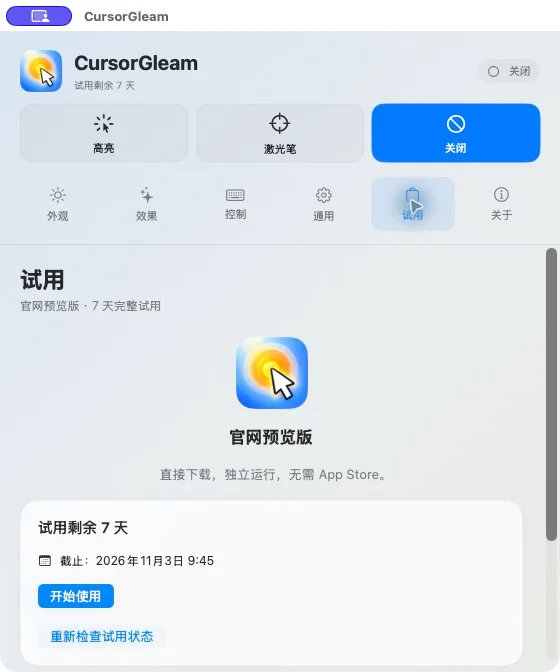
- Start the seven-day trial when you are ready, then choose Highlight or Laser Pointer.
- If you enable click feedback, follow the app's macOS input-permission instructions.
The download is Developer ID signed and notarized by Apple. You do not need to disable Gatekeeper. If macOS reports a damaged or unverifiable file, stop and contact support.
What the current download includes
The website edition includes a manually started seven-day trial. Days continue while the app is closed. Effects pause at expiry, and your settings remain. Purchasing and activation are coming soon; this installer does not include checkout or a paid activation flow. No automatic charge or renewal occurs.
Verify your download
SHA-256 of this DMG:
20432a7718609d25ce8120e809a3b96f1defbfa6b0ff270bb96e328b92e84b9d Trial records and updates
The app stores trial start dates and clock-validation records locally in Keychain. Reinstalling does not restart the trial. Future builds will be listed on this site; this release does not promise automatic updates or migration to a future paid license.
App privacy · Terms · Support